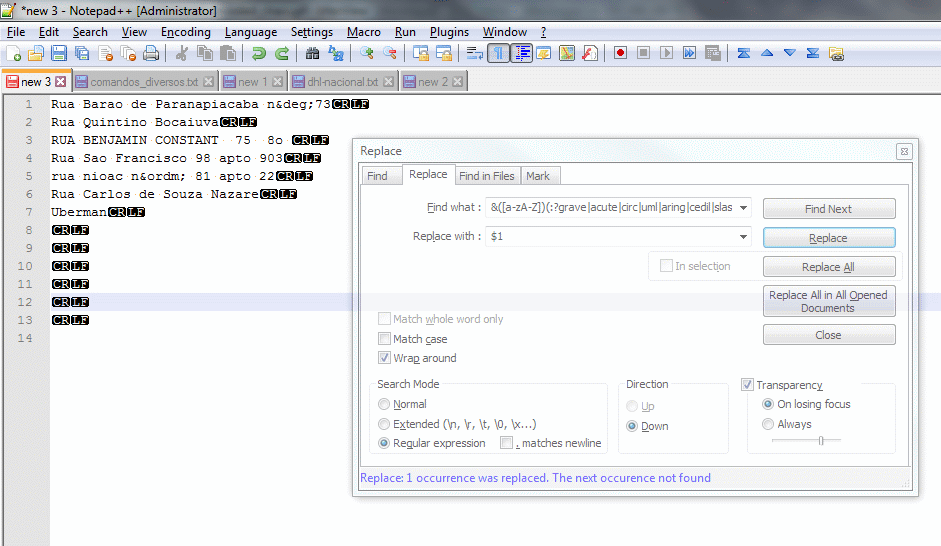
Hoje compartilho uma dica para facilitar a substituição de caracteres acentuados usando apenas Notepad++ e seu HTML Tag Plugin.
Let’;s do it!
Primeiro de tudo, devemos ter HTML Tag Plugin instalado. Se você já o possui, pular para a etapa 4.
- Abrir Notepad++ e procure por Plugins no Menu Principal.
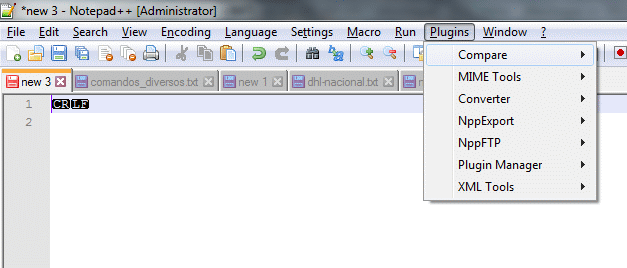
- Se HTML Tag está ausente, abrir Plugin Manager->Show Plugin Manager e encontrar HTML Tag Plugin na lista.
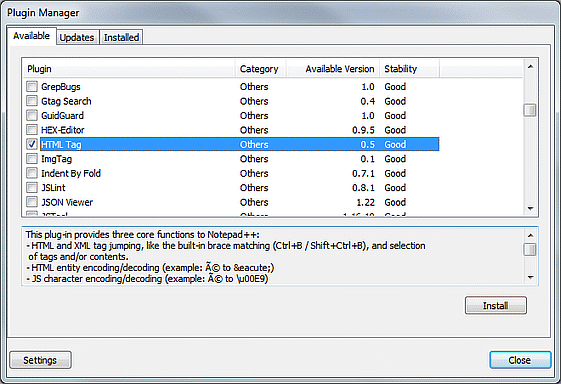
- Selecione os plug-ins desejados e clique no botão Instalar. Notepadd++ será reiniciado para concluir a instalação.
Agora podemos traduzir caracteres especiais para o seu entidades HTML. Precisamos fazer isso primeiro para remover acentos do nosso texto. - Coloque seu texto na janela e faça Selecionar tudo com Ctrl + A ou Edit ->; Selecionar tudo no Menu Principal.
- Abrir Plugins->HTML Tag->Encode Entities no Menu Principal ou CTRL + E.
Agora, Todos os caracteres especiais estarão em entidades html.
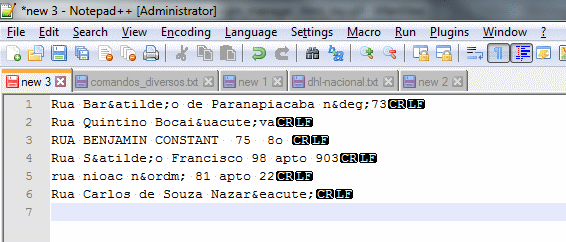
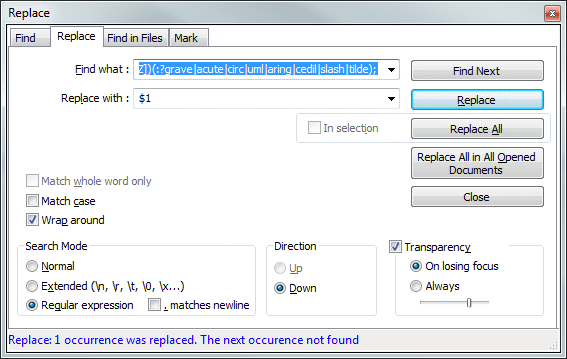
- Abrir o Substituir formulário (CTRL + H or Search->;Replace) and fill the Find What field with
&([a-zA-Z])(grave|acute|circ|uml|aring|cedil|slash|tilde); and Replace with field with$1
Select Regular Expression in Search Mode and hit Replace All button.
The text will be replaced with no accents characters, but all other special chars will be in HTML entity.
- Now we can return all other chars to your originals but is better to use your text in UTF-8 encoding. Go to Encoding Menu and change text encoding if is not Utf-8. You can return to another encoding after this step.
To decode HTML use CTRL + Shift + E or Plugins->HTML Tag->Decode Entities.
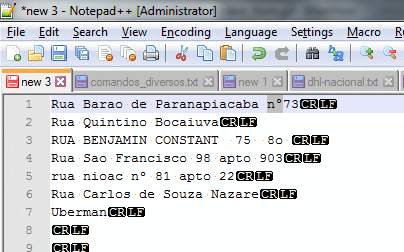
I Hope that help someone.


Deixe um comentário