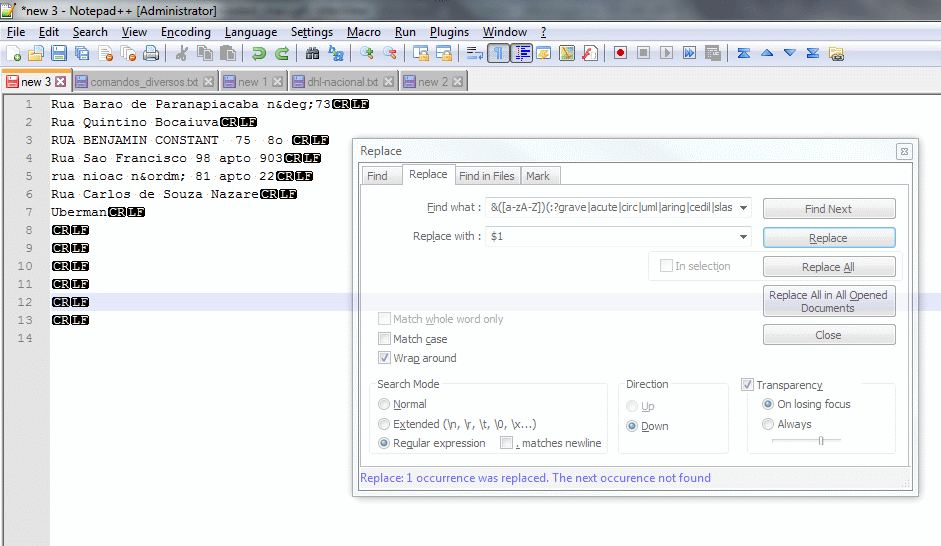
Today I share a tip to facilitate the replacement of accented characters using only Notepad++ and your HTML Tag Plugin.

Let’s do it!

First of all, we must have HTML Tag Plugin installed. If you already have it, jump to step 4.

  1. Open Notepad++ and look for Plugins in Main Menu.
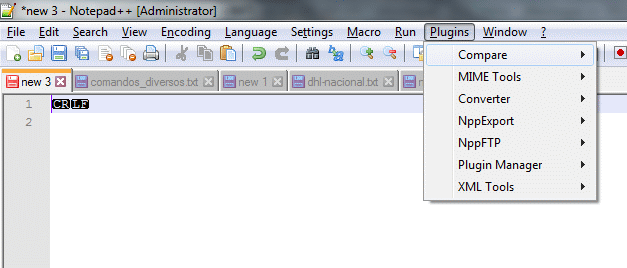
    Notepad Plugins Menu Item
  1. If HTML Tag is absent, open Plugin Manager->Show Plugin Manager and find HTML Tag Plugin on the list.
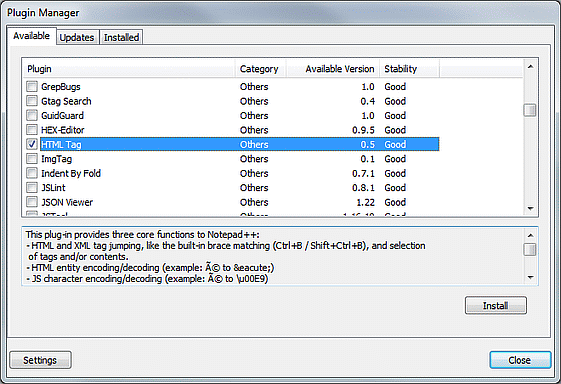
    HTML Tag Plugin on Notepad++ Plugin Manager
  2. Select the desired Plugins and hit Install button. Notepadd++ will restart to complete the install.
    Now we can translate special characters to yours HTML entities. We need to do it first to remove accents from our text.
  3. Put your text on the window and make Select All with Ctrl + A or Edit -> Select All in Main Menu.
  4. Open Plugins->HTML Tag->Encode Entities in Main Menu or CTRL + E.
    Now, all special characters will be in html entities.
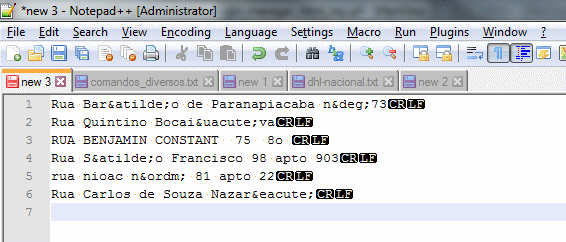
    Notepad++ With Special Characters Encoded in HTML
  5. Open the Replace Form (CTRL + H or Search->Replace) and fill the Find What field with
    &([a-zA-Z])(grave|acute|circ|uml|aring|cedil|slash|tilde);  and Replace with field with

    $1

    Select Regular Expression in Search Mode and hit Replace All button.
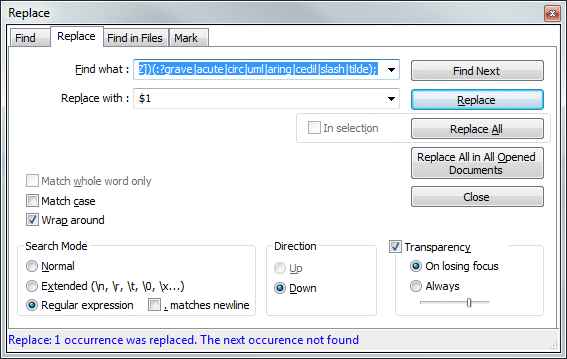
    Notepad++ Replace Form
    The text will be replaced with no accents characters, but all other special chars will be in HTML entity.
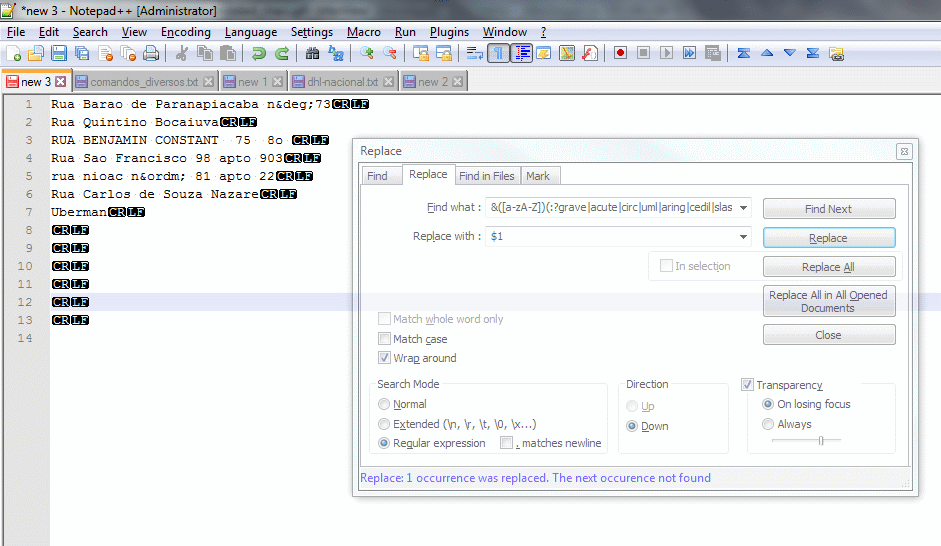
    Notepad++ HTML replaced text

  6. Now we can return all other chars to your originals but is better to use your text in UTF-8 encoding. Go to Encoding Menu and change text encoding if is not Utf-8. You can return to another encoding after this step.
    To decode HTML use CTRL + Shift + E or Plugins->HTML Tag->Decode Entities.
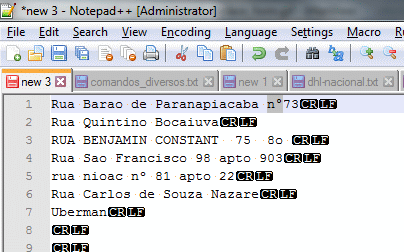
    Notepad++ Final Text convertion

I Hope that help someone.

10 respostas a “Using Notepad++ to remove accents”

  1. Avatar de Hans Mösl

    Com certeza me ajudou, isso posso dizer. Muito obrigado pelo post Marcos.

    1. Avatar de Marcos Regis
      Marcos Regis

      Que bom Hans.

  2. Avatar de Jeremiah
    Jeremiah

    This was a lifesaver! Saved me hours of work, thank you!

  3. Avatar de Rodrigo
    Rodrigo

    Muito bom! Bem criativo e ajudou bastante.

  4. Avatar de jorge
    jorge

    Si, claro que sí ayudó. muchísimas gracias

  5. Avatar de Gilmar Aleixo
    Gilmar Aleixo

    Marcos, muito grato pelo seu post, acaba de me economizar muito tempo de trabalho.

  6. Avatar de dleaute

    Je vais beaucoup améliorer le SEO de ma galerie a moi de faire les macros qui vont bien j’avance a petit pas …

    Un grand merci !!!

  7. Avatar de Bruno Sousa
    Bruno Sousa

    Valeu me ajudou muitooo obrigado

  8. Avatar de Marco Pavanello
    Marco Pavanello

    Parabéns pela “sacada” e pela explicação: excelente.

    Segue uma possível contribuição, com objetivo de deixar mais simples a expressão regular de busca (find):

    &([a-zA-Z])(grave|acute|circ|uml|aring|cedil|slash|tilde);

    A expressão é igual a original, exceto por não conter os caracteres ?: (interrogação e dois pontos), os quais são responsáveis por remover um grupo da captura (non-capturing group).

Deixe um comentário

O seu endereço de e-mail não será publicado. Campos obrigatórios são marcados com *

Este site utiliza o Akismet para reduzir spam. Saiba como seus dados em comentários são processados.

Blog do Regis - Meus aprendizados
Privacy Overview

This website uses cookies so that we can provide you with the best user experience possible. Cookie information is stored in your browser and performs functions such as recognising you when you return to our website and helping our team to understand which sections of the website you find most interesting and useful.